Free · Open source · Offline
Your voice, turned into text — on your own machine
VoxSpica listens to your microphone and transcribes audio files locally with VOSK. No audio ever leaves your computer: no cloud, no account, no subscription, and it keeps working with the internet unplugged.
Windows 10/11 x64 · one installer per language · the language model is included
- No audio leaves the computer
- No account, no payment, no ads
- Works with the network unplugged
- Apache-2.0, source on GitHub
Why VoxSpica
Dictation without the strings attached
Cloud dictation services need a subscription, a network connection and your voice. VoxSpica does the recognition on your own CPU, with an open-source engine and models you download once.
Offline by design
Recognition runs in a local process powered by VOSK (Kaldi ASR). After the model is downloaded there is no network call in the product at all — unplug the cable and it keeps transcribing.
Private by construction
There is no endpoint to send audio to. Recordings, transcripts and history stay in your user profile, and the history database is a SQLite file on your disk.
Live transcription
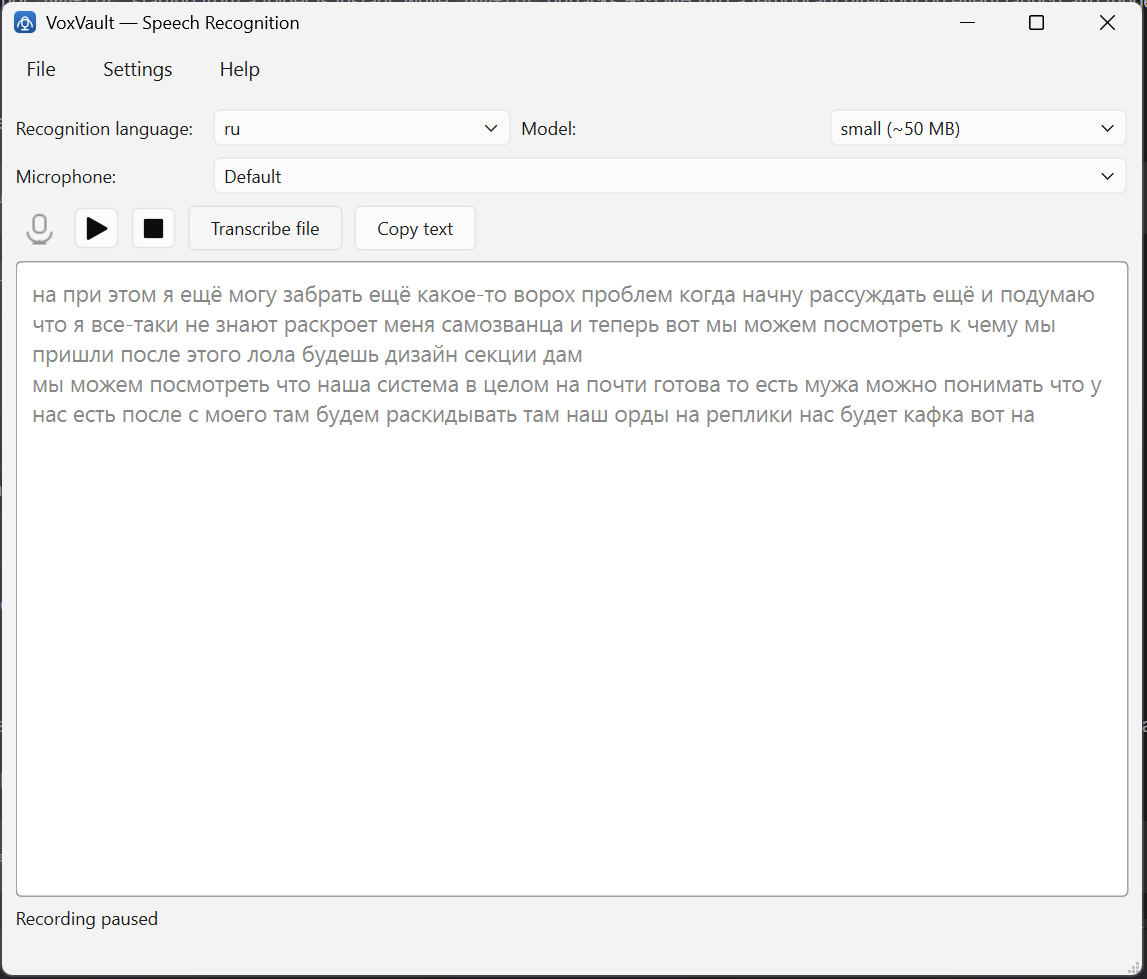
Text appears while you speak. Pause and resume, stop and keep the result — the model is warmed up in the background, so the record button responds immediately.
Files as well as microphone
Transcribe recorded audio (WAV, and mp3/m4a/ogg with ffmpeg) or a live microphone. Automatic language detection picks the best installed model for a file.
A real history
Every recognition is stored in SQLite with its date, language, model size, device and duration. Search it in the app, or from the command line.
A GUI and a CLI
The window is for dictating; the command line is for scripting, with the same settings file, the same history and the same models. Voice, meeting, file — whatever the shell is doing.
One file to run
The portable build is a single executable that unpacks its own libraries at launch. Python is not required; nothing else is installed.
Honest about accuracy
A small model is good, a large one is noticeably better and takes longer to load. VoxSpica says which is which instead of pretending one number fits every language.
How it works
From sound to text in three steps
Install in your language
Each installer is localized and already contains a small recognition model for its language, so the first launch works offline with nothing to download.
Press record and speak
Choose the recognition language and the model size. VoxSpica loads the model in the background while the window is already usable.
Get the text
Watch it appear live, then copy it, save it next to the recording, or find it later in the searchable history.
Languages
33 recognition languages, 9 interface languages
Recognition and interface are separate: dictate in one language while the window speaks another. Every recognition language has a small model; large models exist for the languages VOSK publishes them for.
- العربيةar
- Português (BR)br
- Catalàca
- 中文(普通话)cn
- Češtinacs
- Deutschde
- Ελληνικάel-gr
- English (India)en-in
- English (US)en-us
- Esperantoeo
- Españoles
- فارسیfa
- Françaisfr
- ગુજરાતીgu
- हिन्दीhi
- Italianoit
- 日本語ja
- ქართულიka
- 한국어ko
- Кыргызчаky
- Қазақшаkz
- Nederlandsnl
- Polskipl
- Portuguêspt
- Русскийru
- Svenskasv
- తెలుగుte
- Тоҷикӣtg
- Tagalogtl-ph
- Türkçetr
- Українськаuk
- Oʻzbekchauz
- Tiếng Việtvn
small + large · small model · large model
Interface languages
- English
- Русский
- Українська
- Беларуская
- Deutsch
- Français
- Español
- Italiano
- 简体中文
Nine: English, Russian, Ukrainian, Belarusian, German, French, Spanish, Italian and Simplified Chinese. Seven of them have a localized installer — Ukrainian and Belarusian are supported by the application, but InstallShield ships no wizard strings for them.
What each installer brings
A localized setup wizard, the application in that language, and a ready small model for that language — which is why every installer is about 100 MB instead of 55 MB.
- small model
- 29
- large model
- 26
Download
Pick your language — the model comes with it
Seven installers, each in its own language, each with a small recognition model already inside. Install, launch, dictate: no first-run download.
Installers
- English100.5 MBVoxSpica-0.1.3-en-setup.exebundles vosk-model-small-en-us-0.15Download
- Русский105.2 MBVoxSpica-0.1.3-ru-setup.exebundles vosk-model-small-ru-0.22Download
- Deutsch105.4 MBVoxSpica-0.1.3-de-setup.exebundles vosk-model-small-de-0.15Download
- Français101.6 MBVoxSpica-0.1.3-fr-setup.exebundles vosk-model-small-fr-0.22Download
- Español99.2 MBVoxSpica-0.1.3-es-setup.exebundles vosk-model-small-es-0.42Download
- Italiano108.7 MBVoxSpica-0.1.3-it-setup.exebundles vosk-model-small-it-0.22Download
- 简体中文103.3 MBVoxSpica-0.1.3-zh-setup.exebundles vosk-model-small-cn-0.22Download
Or the portable build
A single executable in a zip, no installer, no bundled model: the app asks for its interface language on the first launch and downloads a model for it. The smallest download, and the one to try first.
VoxSpica-0.1.3-win64.zip61.0 MB0.1.3
Windows 10 / 11, x64 only.
The installers are not code signed yet, so Windows SmartScreen may warn about an unknown publisher. Choose “More info → Run anyway”.
FAQ
Questions worth asking before you install
Does my audio really stay on my computer?
Yes. Recognition is done by a local process — VOSK, an open-source Kaldi build — on your CPU. The product contains no upload endpoint, no telemetry and no account. Unplug the network and it keeps working.
Which Windows versions are supported?
Windows 10 and 11, 64-bit. There is no 32-bit build and no macOS or Linux build yet — the roadmap has them, the code does not.
Why is an installer about 100 MB instead of 55 MB?
The portable executable is 55 MB. Each installer adds a small recognition model for its language, so that the first launch already works offline instead of downloading 30–50 MB first.
How accurate is it, really?
It depends on the language and the model, and we would rather not give you one number. A small model is good for notes and short sentences; a large model is noticeably better and takes one to two minutes to load. Pick the language, then switch the size in Settings.
Do I need a graphics card?
No. Recognition runs on the CPU. A small model needs about 0.3 GB of RAM and starts in seconds; a large one wants a few gigabytes and a minute of loading.
Is it really free?
Yes — Apache-2.0, no subscription, no payment, no ads. The optional models come from the VOSK project under the Apache 2.0 licence as well.
What happens to my recordings?
Nothing is recorded unless you ask for it. Transcripts are written to a text file, and the history database is a SQLite file in your user profile. Delete the app, delete the folder, and it is gone.
Windows warns about an unknown publisher.
The binaries are not code signed yet. SmartScreen shows a warning on first run: choose “More info” → “Run anyway”. The sources are on GitHub, and the release page carries SHA-256 checksums.
Can I use it from the command line?
Yes. `VoxSpica.exe mic`, `VoxSpica.exe file meeting.mp3`, `VoxSpica.exe history --search "meeting"` — the CLI and the window share one settings file and one history database.
Dictate without giving your voice away
Free, offline, open source. Pick a language, install it, press record.